





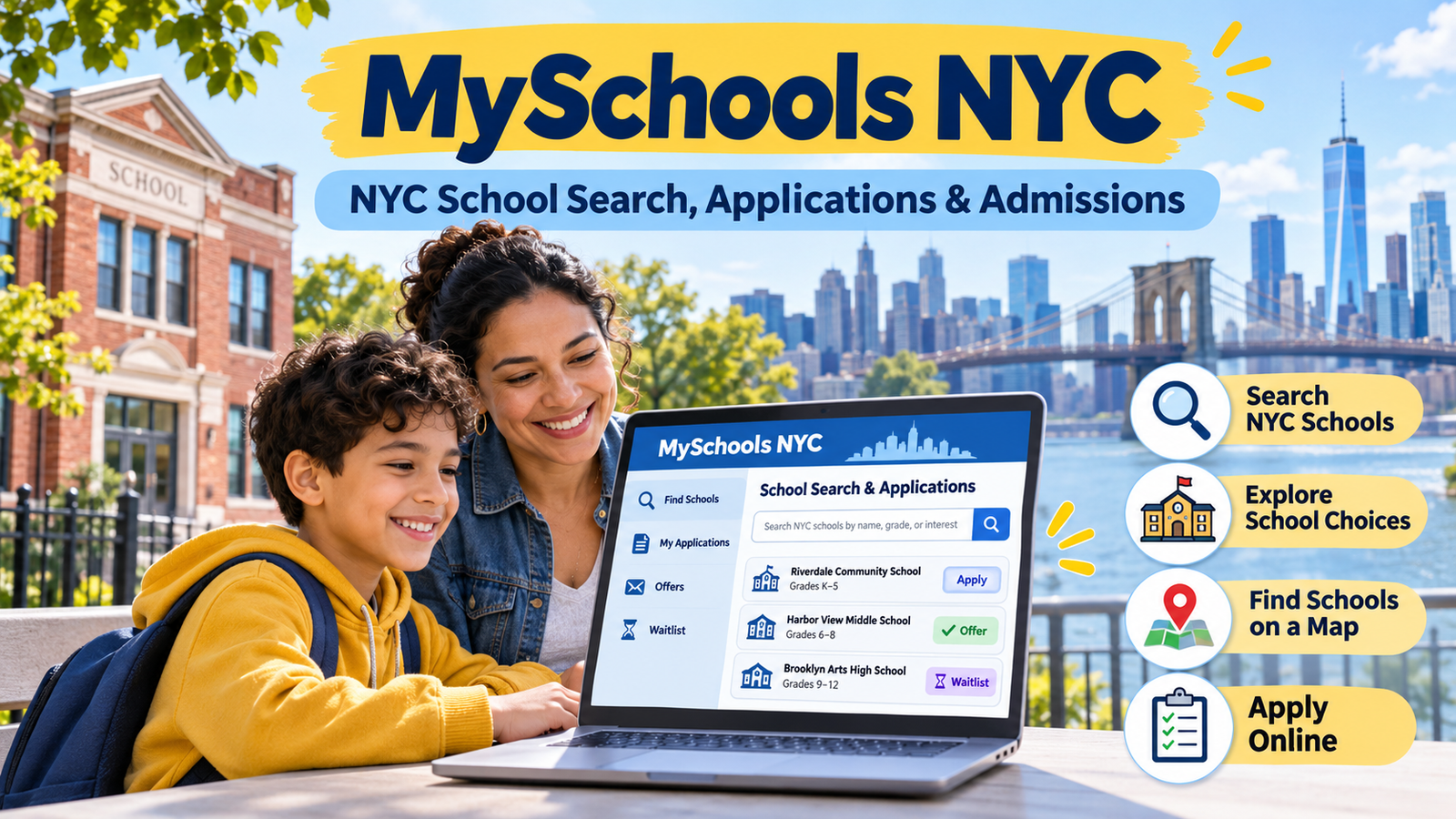
Choosing the right MySchools NYC is one of the most important decisions parents make for their children. In New York City, where thousands of public schools offer different academic programs, learning environments, and admission options, finding the right fit can feel overwhelming. Fortunately, MySchools NYC makes this process easier by bringing school information, enrollment applications, and admission updates together in one online platform.
MySchools is an official online enrollment platform operated by New York City Public Schools (NYCPS). It allows parents and guardians to explore public schools, compare educational programs, submit applications, receive admission offers, and manage waitlists. Whether a child is preparing to enter preschool, kindergarten, middle school, or high school, families can use the platform to navigate the enrollment process.
However, using the platform effectively requires more than simply creating an account and selecting a few schools. Parents should understand how school searches work, what admission priorities mean, how to organize application choices, and when important deadlines apply. This guide explains everything families need to know about MySchools NYC and how to use its features with confidence.
What Is MySchools NYC?
MySchools NYC is an online school directory and enrollment application system developed for families navigating New York City’s public school admission process. Instead of visiting multiple school websites or managing separate paper applications, parents can access important enrollment resources through one centralized platform. It provides information about participating schools, educational programs, admission requirements, and application opportunities.
The platform supports several grade levels and admissions processes, including 3-K, Pre-K, kindergarten, middle school, and high school. Families can explore available programs, save their preferred options, and submit applications when the relevant admission period opens. Depending on the grade level, parents can also view application results, respond to offers, and monitor waitlist activity through their accounts.
One important detail is that MySchools is primarily an enrollment and school discovery platform. It is not the same as the New York City Schools Account (NYCSA), which provides access to other student-related information, including academic progress, attendance, and school records. Understanding this difference helps parents use the correct platform for their needs.
How Does MySchools NYC Work?
MySchools NYC follows a relatively straightforward process. Parents begin by accessing the website and exploring the available school directory. They can search for schools based on location, grade level, program type, and other relevant preferences. This allows families to develop a shortlist before beginning an application.
When an application period is available, parents can create an account, add their child, and access the relevant application. The platform provides personalized options based on the child’s information and eligibility. Families can then review individual programs, check admission priorities, and add their preferred choices to the application.
After completing the application, parents submit it through their account before the deadline. The admissions process then determines which programs can offer the child a seat. Once results become available, families can review their offers and follow the instructions for accepting a placement or joining applicable waitlists. The exact process and timeline depend on the grade and admission category.
How to Create a MySchools NYC Account
Creating an account is the first step for parents who want to access personalized enrollment services. Visit the official MySchools website at and select the option to create a new account. You will need to provide basic information, including your first name, last name, email address, and a password.
After entering your information, you may need to verify your email address through a confirmation link. Once verification is complete, follow the instructions to provide the requested parent or guardian details. This may include your contact number, residential address, and preferred language. Make sure the information is accurate because it can affect the personalized school options displayed in your account.
After setting up your account, you can add your child using the information requested for the relevant admission process. Depending on the child’s current enrollment status, you may need a student identification number, such as an OSIS number. If you experience difficulties locating an existing NYC public school student, contacting the appropriate enrollment support team can help resolve the issue. Parents who have previously created an account should generally use their existing login rather than creating a duplicate account.
How to Search for Schools Using MySchools NYC
The school directory is one of the most useful features of MySchools NYC. It allows families to explore different public schools and educational programs without researching every institution individually. Parents can search for schools by entering a school name, location, or other relevant criteria.
The available filters make it easier to narrow down results according to a child’s needs. For example, families can explore schools offering particular grade levels, language programs, academic pathways, or specialized educational opportunities. These filters help parents focus on schools that match their priorities rather than spending time reviewing unrelated options.
Each school listing provides information that can help families make informed comparisons. Depending on the school and program, parents may find details about admissions priorities, available seats, program descriptions, and previous admission results. It is worth reviewing these details carefully because two programs at the same school may have different admission requirements or priorities.
Understanding School Zones and Admission Priorities
School zones are an important part of the New York City public school enrollment system. Some elementary and middle schools give priority to children who live within a designated geographic area. This means a child’s home address can influence which schools are available or how the child is considered during admissions.
MySchools NYC helps families identify relevant school options and understand whether their address provides a particular admission priority. However, living near a school does not automatically guarantee admission to every program. Families should review the specific priorities listed for each school because admission rules can differ between programs.
Other factors can also influence admission decisions. These may include having a sibling already attending the school, living within a particular district, attending an associated pre-K program, or meeting other program-specific requirements. Parents should pay close attention to these details before submitting an application. A school that looks attractive based on its location may have different admission priorities from another school offering a similar educational experience.
How to Apply for Schools Through MySchools NYC
Once parents have identified suitable programs, they can begin building an application. The application process depends on the child’s grade level and the admission MySchools NYC. After logging in and adding the child to the account, families can access the relevant application when it becomes available.
Parents should explore each program before adding it to the application. Consider factors such as location, transportation, curriculum, language offerings, extracurricular activities, and admission priorities. It is also useful to attend school open houses or information sessions whenever possible. These visits can provide a better understanding of the school’s environment and teaching approach.
When selecting programs, parents should arrange their choices according to their genuine preferences. For example, if a family prefers one school over another, the more desirable option should appear higher on the application. In applicable admissions processes, MySchools NYC allows families to list multiple program choices, with high school applications permitting up to 12 programs. Before submitting, review the entire application to make sure the selected programs are correctly ordered and the child’s information is accurate.
MySchools NYC for Kindergarten Admissions
Kindergarten admissions are an important milestone for families with young children. In New York City, children who turn five during the calendar year are eligible for kindergarten beginning that September. Although eligible NYC residents are guaranteed a kindergarten seat, families may still need to participate in the application process to express their preferences.
MySchools NYC makes it easier to explore kindergarten programs and identify options based on a child’s home address. Parents can review zoned schools, investigate other available programs, and learn about admission priorities. Some schools also offer additional options, such as Dual Language and Gifted & Talented programs, which may have separate eligibility or application requirements.
For the 2027 kindergarten admissions cycle, the application is scheduled to open on December 9, 2026, and close on January 22, 2027. Families should check the official NYC Public Schools website for updated information before applying. Submitting an application before the deadline is important, but kindergarten admissions are not first-come, first-served. Applications submitted by the deadline are considered according to the applicable admission priorities and matching process.
Using MySchools NYC for Middle School Admissions
Moving from elementary school to middle school can introduce new academic opportunities and challenges. NYC families can use MySchools NYC to explore middle school programs across their districts and, where applicable, other parts of the city. The directory helps parents compare schools based on location, program structure, academic offerings, and admission requirements.
Some middle schools admit students according to geographic priorities, while others use additional selection criteria. Certain arts programs may require auditions, and specialized programs may have separate testing or registration requirements. Parents should not assume that every middle school follows the same admission process. Reviewing individual program details is essential before making selections.
For fall 2027 admissions, the middle school application opened on October 14, 2026, and is scheduled to close on December 11, 2026. The expected offer release date is April 7, 2027. Families interested in audition-based programs should also review the relevant submission instructions because audition materials and registration requirements may have separate deadlines.
Exploring High School Options Through MySchools NYC
High school admissions in New York City can be more complex because students have access to a wide range of academic programs. These include general education schools, career and technical education programs, screened programs, educational option programs, and schools with specialized academic or artistic offerings.
MySchools NYC allows students and families to research these opportunities and build a high school application. Each program may have its own admissions priorities and selection criteria. Some programs consider academic records or other screening information, while others use different admission methods. Students should review these requirements rather than relying solely on a school’s reputation or location.
The platform also provides estimated offer chances for applicable high school programs. These estimates are categorized as low, medium, or high and help students understand how competitive a particular program may be. They are based on factors such as available seats, admission priorities, and historical application patterns. However, these predictions are not guarantees. Students should use them as planning tools while building an application that includes a balanced range of realistic and preferred choices.
How to Check Admission Offers and Waitlists
After submitting an application, families naturally want to know whether their child has received an offer. MySchools NYC provides an online way to review available admission results. Parents can log in to their accounts, open the relevant application, and check the outcome once offers are released.
An admission offer indicates that a child has been offered a place in a particular program. Families should read the offer instructions carefully because accepting a seat may require completing additional steps. These can include confirming the offer through MySchools, contacting the school, and providing documents needed for registration. Simply receiving an offer does not necessarily mean every registration requirement has been completed.
If a child does not receive an offer from a preferred program, the family may have an opportunity to join a waitlist. Waitlist procedures vary depending on the admission category and availability of seats. Schools may make additional offers when enrolled students decline their placements or when seats become available. Parents should monitor their accounts and respond to any new offers within the stated timeframe.
Benefits of Using MySchools NYC
One of the biggest advantages of MySchools NYC is convenience. Parents can explore schools, review program information, and manage applications without having to navigate several unrelated enrollment systems. Having these services in one place makes the admissions process easier to organize, particularly for families comparing multiple schools.
Another benefit is access to personalized school information. Once a parent adds a child to an account, the platform can display relevant application options and information based on the child’s circumstances. This helps families understand which programs may be available and what admission requirements they need to consider.
The platform also supports better decision-making through its school directory and admissions information. Parents can compare program details, review priorities, and investigate estimated admission chances where available. Rather than making decisions based entirely on word of mouth, families can use official information to develop a more informed school selection strategy.
Common MySchools NYC Problems and How to Resolve Them
Some parents experience difficulties when creating an account or logging in. A forgotten password, an incorrect email address, or an incomplete verification process can prevent access. In most cases, using the password recovery option or checking the registered email account can resolve these issues. If you no longer have access to the email address associated with an existing account, follow the official enrollment support instructions before creating another account, particularly if an application has already been submitted.
Another common issue occurs when parents cannot find their child in the account. This may happen because the child’s information does not match existing enrollment records or because additional identification details are required. Parents should double-check the information they entered and confirm that they are using the correct student identification number. If the issue continues, the relevant enrollment support team or Family Welcome Center can provide assistance.
Application-related problems can also occur when families misunderstand program choices, deadlines, or eligibility requirements. Before submitting an application, carefully review every selection and confirm that the programs appear in the intended order. If information needs to be corrected or an application is not displaying properly, contact the appropriate admissions team as soon as possible rather than waiting until the deadline approaches.
Tips for Parents to Get the Most Out of MySchools NYC
Start researching schools early instead of waiting until the application period is almost over. Early preparation gives families enough time to explore different programs, compare locations, and understand admission requirements. It also reduces the pressure of making important decisions at the last minute.
Avoid choosing schools based only on popularity or reputation. A well-known school may not necessarily be the best fit for every child. Consider the child’s interests, learning preferences, transportation needs, and long-term educational goals. Reviewing program descriptions and attending open houses can help parents make choices that reflect their family’s actual priorities.
Finally, keep track of application deadlines and check your MySchools NYC account regularly during the admissions process. Make sure your contact information is up to date and save any relevant application confirmations. If you have questions about a specific program, contact the school or enrollment support team for clarification. Taking these small steps can make the entire process considerably more manageable.
(FAQs)
Is MySchools NYC free to use?
Yes. MySchools is an official New York City Public Schools enrollment platform, and families can use its school directory and application services without paying a platform access fee. Parents should use the official website to avoid confusion with unrelated third-party services.
Who can create a MySchools NYC account?
Parents and legal guardians can create accounts to manage their children’s school applications. During registration, they provide their contact information and add their children according to the instructions for the relevant admissions process.
Can I apply to multiple schools through MySchools NYC?
Yes. Families can include multiple programs on applicable applications. The maximum number of choices depends on the admission process. For example, the high school application allows students to select up to 12 programs.
Can I change my school choices after submitting an application?
Changes may be possible before the application deadline, depending on the specific admissions process. Families should review the relevant application instructions and make any necessary updates before submissions close.
Is MySchools NYC the same as NYCSA?
No. MySchools NYC is primarily used for school searches and enrollment applications, while the New York City Schools Account provides access to other student-related information, such as academic progress, attendance, and school records.
What should I do if I cannot access my MySchools NYC account?
Start by checking your login email address and password. If you have forgotten your password, use the password recovery option. For more complicated account issues, consult the official enrollment support resources or contact the appropriate NYC Public Schools admissions team.
Can I use MySchools NYC to find my child’s zoned school?
Yes. The platform can help families explore schools associated with their residential address. Parents can also use the official NYC school zone lookup service to identify their zoned school and confirm relevant admission information.
Final Thoughts
MySchools NYC has made the public school enrollment process more accessible by bringing school discovery, applications, admission information, and waitlist management into one centralized platform. For parents navigating the different stages of their child’s education, it provides a practical starting point for understanding available opportunities and making informed decisions.
However, the platform works best when families take time to research programs and understand their admission requirements. Checking school priorities, organizing application choices carefully, and keeping track of important dates can make a meaningful difference in the overall experience.
Whether you are exploring kindergarten options, comparing middle schools, or preparing a high school application, MySchools provides the tools and information needed to navigate New York City’s public school admissions process with greater confidence. Start with the official school directory, explore the available programs, and use the enrollment resources to make the right decisions for your child’s educational future